Posts

Showing posts with the label computers

Retro Computers

Image
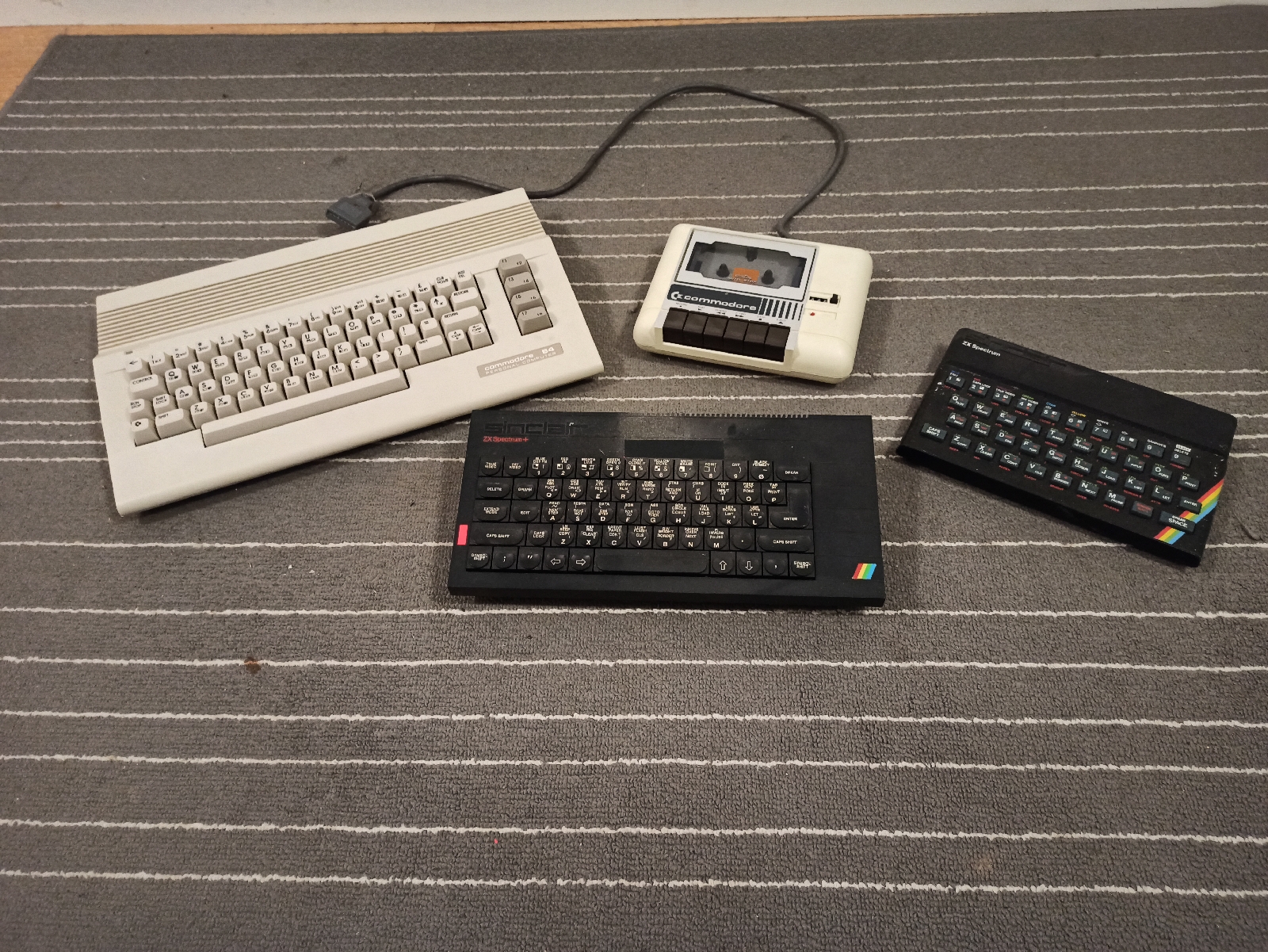
Thanks to Noel on Freegle, I have a bunch of retro 8-bit computers to play with and repair if necessary. Some cool accessories as well. 

Dell 3008WFP Monitor Repair

Image
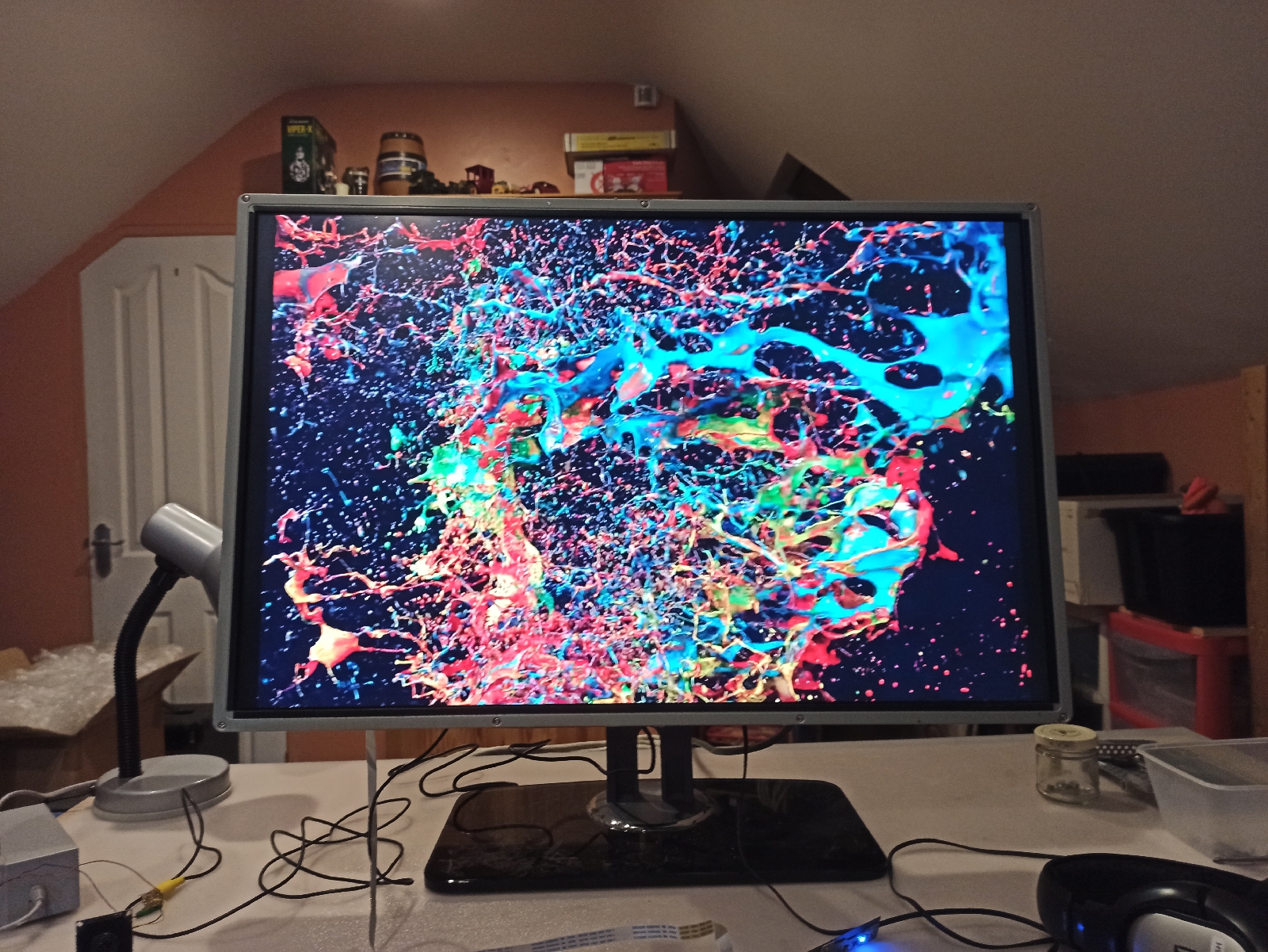
I got this monitor on Freegle from Noel who has kindly given me a lot of stuff over the last few years. This model is from 2008 and uses a cold cathode backlight and although heavier on electricity, they are more reliable than the later LED backlit models. The power board was dead and a bit of research online revealed a known fault which had killed hundreds of these monitors, an under specification diode which overheats and goes short circuit after 4 to 5 years. The monitor was a beast to dismantle and the power board was clearly never meant to be repaired, with heatsinks that had to be unsoldered and removed to get at the failed part. Repaired it was though, using a higher specification diode salvaged from a junk power supply. Resolution is 2560 x 1600 (roughly 2K) and the picture is exceptionally sharp with vibrant colours and smooth motion. I'm tempted to leave the monitor naked, but the inverter has high voltages so that's unsafe. I might cut a large...

Acer Iconia One 10 Tablet Repair

Image
 I received another haul of old electronics from kind Freegle lady Margaret who was having a clear out. There was an old Asus netbook which had died, but it gave up another useful 10.1 inch LCD panel so I have ordered a control board for it on eBay. There were two tablet computers with cracked touch panels, an Asus Nexus 2 and an Acer Iconia. Both tablets booted up and could be reset and used with my Bluetooth combination keyboard and trackpad. A bit of research revealed that the Nexus would be much harder to repair and probably was too low spec to be worth the trouble, whereas the Acer would be an easier repair, was still had a decent spec (Intel CPU and 2Gb or RAM) and had received a final update to Android 7 only 2 years ago. Decision made, I purchased a replacement touch panel for £12 on eBay. Acer Iconia with cracked touch panel (Bluetooth keyboard) While the new touch panel was on its way, I decided to sacrifice the Nexus in the spirit of learning and had a go at removing its...
Touchpad USB Conversion

Image
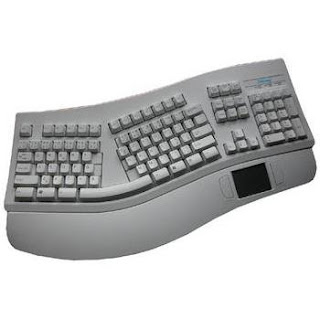
Over 20 years ago, when we were first getting into PCs, my dad got a Chicony KTP-7903 keyboard in a 'goody' box from Bull Electrical. These were large cheap boxes of surplus gear and could be anything, but always had some interesting stuff in them. We even got parts of the duff Rabbit phone system in one. The keyboard was an odd-shaped thing that was supposed to be ergonomic, but it had a touchpad on the removable wrist rest which was pretty unusual. The device had a full-size 5-pin DIN PS/2 connection for the keyboard and a separate serial (RS232) connection for the touchpad. Pretty soon my dad got bored with the weird keyboard but he had the genius idea of carefully cutting the touchpad off the end of the rest and using it separately. It turned out to be really useful anywhere where a mouse was going to be hard to use. The only problem was that it had a serial connection and by about 5 years ago it was obsolete as even the older computers I use no longer had a serial port. I ...

Laptop CPU Upgrade

Image
So I decided to go for the ultimate upgrade on my trusty HP Pavilion G6 laptop which was given to me 3 years ago by a kind guy on Freegle. At the time I had to replace the fan and keyboard to get it going ( see post here ), but this upgrade was at another level entirely as I've never swapped out a laptop CPU before.  A lot of research went into this to make sure I was getting the right APU (combined CPU and graphics processor or GPU), because the same motherboard can work with a wide range of Intel and AMD processors. I went for broke and got the most powerful one the motherboard could handle for £20 on eBay along with an additional 4Gb RAM to bring it up to 8Gb. Here is the old 2-core APU (E2-3000M) ready to be removed. And the replacement 4-core APU (A8-3520M) installed with a smearing of heatsink paste ready for reassembly. So did it work? Thankfully yes and I am editing this post using the computer. The GPU runs a little hot which I am keeping an eye on,...

Upcycling Old Laptop Displays

Image
A couple of years ago I acquired one of these, a Zoostorm Fizzbook Spin, a swivel screen netbook which had been aimed at the school sector and in particular at pupils with special and additional needs. It came out just before the first tablet computers hit the market and was made obsolete pretty quickly. It was an interesting piece of kit and I upgraded the RAM and hard drive and put Linux Mint on it (of course). Anyhow, I needed a clear out and the Fizzbook wasn't being used for much, but the display intrigued me because it had an integrated resistive touchscreen so I decided to try something out. I dismantled the computer and carefully recovered the display, which turned out to be a HannStar HSD101PFW2 (10.1 inch) with LED backlighting. A quick trip into eBay and I was able to find a controller board for this display complete with remote control for £20 postage paid from the Shenzhen SEZ. The controller board arrived in about 10 days and simply plugs into t...

Bletchley and Bitcoins

Image
Just watched 'The Imitation Game' on Film4, the excellent drama about Alan Turing. By coincidence I dismantled this oddity today. It's a Butterfly Labs Bitcoin miner, now obsolete, but capable of processing 60 million SHA hashes per second (you read that right). Apparently today you need about 800 million per second as Bitcoin mining becomes increasingly difficult. The Bletchley Park 'Bombe' computers did basically the same job as this thing only many orders of magnitude slower. This thing isn't a computer, but a dual ASIC, Application Specific Integrated Circuit. It had 4 fans (count 'em) to keep it cool and drew about 1Kw of power. At best you could mine a couple of hundred Bitcoins a week back in 2013 when this became available. Butterfly Labs have since been forcibly closed down by the US courts.

Tablet Repair Part 2

Image
So when I was replacing the broken USB connector on the Samsung Galaxy Tab I managed to get a bit too much heat onto the main board and melted the lens of the front-facing camera. This was really stupid because I could have easily removed the camera before doing the soldering. I think the tin foil might have worked against me here. This is the old camera module with the lens removed, it still worked, but was pretty useless. I raided the broken bits box and tried a couple of web cams from an old netbook and 'phone, but couldn't get a lens that would fit, so I just bought a new one on eBay for about £12. I went the whole hog and bought a rubber bump case and screen protector for £10 because I liked the rugged look of the thing. The case is a nice one my wife got me for Christmas with a classic version of the periodic table on the front and a matching notebook. I stiffened the case with a piece of foam board behind the tablet for a bit more protection.

HP Laptop Repair

Image
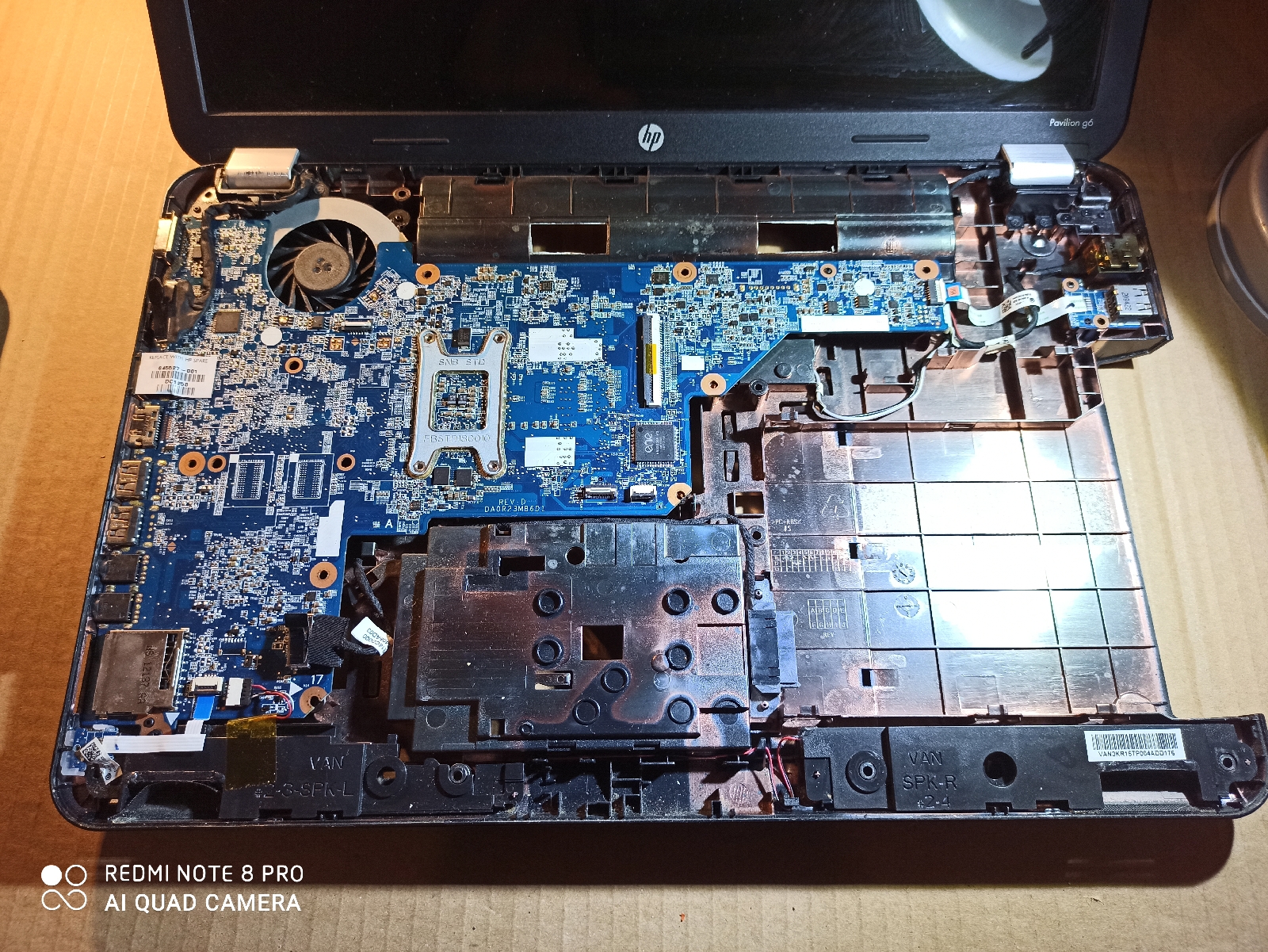
A nice HP laptop I was given by another kind Freegle user which had stopped working. It is about 4 or 5 years old and nicely specified for running Linux Mint with 4 GB of ram and a fast multi-core Intel processor running at 2.2 GHz. The guy's kids had been using it and it was covered in colourful stickers, which was cute, but it was also full of dust, probably because the kids had been sitting on the carpet to use the computer. This is really common and you see the same with Playstations and XBox consoles because they are usually put under the television on the floor. The computer was reporting a fan failure which a bit of research turned out to be very common for this model. The fan sounded like it was on its last legs, so a full strip down was needed, then a serious clean out to remove all the dust and finally a replacement fan off eBay for about £4. The keyboard wasn't great so I got a new one of those as well for £7, total cost of parts £11. I car...

HDMI Converter Upgrade

Image
One minor problem with working with the Raspeberry Pi is the lack of a VGA display output. I say minor because most of the time the Pi is being used with a TV with an HDMI input or in 'headless' mode where I am logging in from elsewhere on the network. Over the years I have acquired a small number of LCD VGA displays and I have a couple of these in the workshop along with a 32-inch LCD TV I picked up. Being able to use one of these displays with the Raspberry Pi was always going to be handy so I needed an HDMI-to-VGA adapter. These aren't overly expensive (£15 will buy a good one from CPC), but always on the lookout for a bargain I purchased the one below on eBay for £2.50 (direct from China). The problem is that the Raspberry Pi HDMI output has very limited current on the 5-volt line, not enough to successfully run the adapter. Also, the Pi checks the HDMI output very quickly for a display and the adapter needs time to boot up so being able to run it from a separa...

Netbook TV on Linux Mint 17

Image
Got around to testing this little Pinnacle Nano Stick TV dongle which came with a Freegle box of obsolete electronic items. I wasn't sure if it would work easily on Linux, but as usual, just plug and play. I downloaded the Me-TV package and off it went. The software can record to the netbook's hard drive, DVD copies can be made and interestingly the video codec can be selected so the RTE stations in MPEG-4 HD can be viewed. Not bad for, well nothing really.

LEGO Robotic Arm 2

Image
This arm is a hybrid derived from several designs taken from two books and a 'classic' Lego Technic website. The books are - 'Make and Program Your Own Robots' by William Clark (1985, ISBN 0-0916-2890-3) 'Robot Projects' by Richard Pawson (1985, ISBN 0-7112-0419-5) Both feature interfacing to the Sinclair Spectrum, so using an Arduino or Raspberry Pi would be really suitable alternatives. Clarke's book provides a simple microswitch design using paper clips that we have tried out.  I want to look at building an alternative motor with PWM control and optical feedback sometime.

Cardboard Keyboard

Image
This started life as a cheapo case and keyboard for a 7-inch Android tablet, but recently I really just wanted an ultra-lightweight USB keyboard. I took the case apart and then I had the idea of using art mounting card to make a new case. Two layers of this card are very stiff once they are glued together, but each layer is easily cut with a craft knife. I got an A3 sheet of the card for £4 so there is stacks left for other projects.

New Computing Set-Up

Image
Well, I've started to come out of hibernation at last, due to the indifferent weather and everyone having a bad cold last week. I finally got around to gutting 4 old PCs and taking the carcasses to the dump, cases for recycling really, and then I upgraded the workshop PC to 2gb of RAM and added a second 160 GB hard drive. Not state-of-the-art, but I was able to install Linux Mint 15 so I can browse the web and do Arduino and PIC stuff again.  I treated myself to this Fujitsu Android tablet from Lidl of all places and with a 99p stand, a USB keyboard and the 'On-The-Go (OTG)' adaptor I bought for my 'phone I have myself a cheap transformer computer.

Mining Raspberries

Image
Finally found a use for the Raspberry Pi. Finlay was introduced to Minecraft on the school iPad, but since we don't 'do' Apple (spits in disdain), we have it running on a Raspberry Pi (old 256Mb version). Going to try it with a Bluetooth keyboard next. Must get around to trying XMBC too.